Dungeon Master Assistance

Where anyone over 18 can share thoughts and ideas on RPGs.

Category Archives: Playing Aids

D&D 5E – Stealth and Hiding

sneaky

PCs being sneaky. Clarification of Stealth and Hiding Rules.

In the new 5th edition Player’s Handbook, the rules for Hiding/Sneaking are a bit unclear. In my attempt to make sense out of rules for hiding, I finally realized that the rules for stealth and for hiding are one in the same.

The rulebooks never give a precise definition of hiding. There is no “hidden condition”. After searching through the rulebooks, the best definition of “being hidden” that I could come up with is this: “Your opponent either doesn’t know that you are there, doesn’t pay any attention to you, or doesn’t know where exactly you are located”. Using this broad definition works well with all of the rules as presented. It also means that you could be hidden even if all your foe had to do is to look in your direction to see you. When he did, you would no longer be hidden. It also means that when you are successful at being stealthy, it has the same effect as being hidden.

The main rule in the Player’s Handbook for hiding is: “You can’t hide from a creature that can see you.” This sounds like it is saying that you must either be in a heavily obscured area or have total cover to even attempt to hide. I contend that this is not correct. It only means that whoever you are attempting to hide from is not looking in your direction (the DM has the final say on this).

“Being stealthy” is trying to remain undetected which is the same as trying to hide. Examples abound in the Player’s Handbook to support this idea. In the section on surprise, the terms “be stealthy” and “hiding” are used to mean the same thing. In the section on noticing threats “hidden threats” obviously includes “a stealthy creature following the group”. On the section on stealth – traveling at a slow pace, it says to refer to the rules on hiding when trying to “surprise or sneak by other creatures.” In the section on perception “hear monsters moving stealthily in the forest,” “orcs lying in ambush on a road,” and “thugs hiding in the shadows of an alley” are all examples of creatures that your Wisdom (Perception) check lets you detect. And in the section on stealth “Make a Dexterity (Stealth) check when you attempt to conceal yourself from enemies, slink past guards, slip away without being noticed, or sneak up on someone without being seen or heard.” Which are all examples of being hidden.

So when can I attempt to hide?

You can attempt to hide whenever the creature or creatures you are attempting to hide from can’t see you. You could be invisible. (Being hidden is different from the “Invisible” condition in that you can be invisible and still not be hidden if your opponent can tell where you are by hearing you or by some other means.) Or you could be on the opposite side of anything that provides total cover, or in a heavily obscured area (such as darkness if your foe doesn’t have darkvision), or your foe could be distracted (if the DM agrees). You can also attempt to hide if you are in a lightly obscured area if you have the Skulker feat.

With the wood elf’s “Mask of the Wild” ability you can attempt to hide even when you are only lightly obscured by foliage, heavy rain, falling snow, mist, and other natural phenomena. From the wording, I take it to mean that you can’t use this ability to attempt to hide in dim lighting (although your DM might allow it), but you can in the area of effect of an insect plague.

With the lightfoot halfling’s “Naturally Stealthy” ability you can attempt to hide even when you are obscured only by a creature that is at least one size larger than you. You would have to first move to a position that placed that creature between you and the creature you are hiding from.

The Rogue’s “Cunning Action” that allows him to take a hide action as a bonus action each round, does not release him from the need to meet at least one of the above requirements before attempting to hide.

How do I hide?

As a hide action in combat, or any time you attempt to hide, you make a Dexterity (Stealth) check and write down that number. As long as you remain in hiding, if any creature has a chance to detect your presence, their Passive Wisdom (Perception) score must beat your stealth check. I would rule that if you are hiding and cannot be seen and are silent the creatures would normally have no chance to detect you. If a creature is actively trying to locate you, compare your check to a Wisdom (Perception) check that the creature makes at that time. If you cannot be seen, or if you are in an area that is lightly obscured, they have disadvantage on the check.

What benefits do I receive from being hidden?

If you are hidden before the first round of combat you can surprise your opponents and get a free round to attack them before they can react. (You are no longer hidden after you attack.)

On all attacks against you, the attacker must first identify where he thinks you are located. The attack will automatically miss if you are not in that 5 foot area. If you are in that area, the attack is made with disadvantage on the attack roll. The DM should require a roll with disadvantage, even if you are not in the targeted area and simply tell the attacker that his attack missed.

If you are hidden you make attacks with advantage. However, you will no longer be hidden if the attack hits or misses.

When am I no longer hidden?

You can come out of hiding at any time of your choosing. You are no longer hidden if you attack someone even if the attack misses (exception: if you have the Skulker feat, attacking with a ranged weapon and missing doesn’t reveal your position).

If you move to a location where your opponent can see you, or if your opponent moves into a position where he can see you, or if the object or creature that was providing your total cover moves or is no longer providing cover for some reason, if you make a noise, or do anything that could give away your position, the creature you are hiding from can make another Wisdom (Perception) check to attempt to detect you.

If you move from a heavily obscured area to a lightly obscured area you can try to continue to hide but the creatures you are hiding from get a Wisdom (Perception) check to detect you.

Once you are no longer hidden your opponents will know where you are so they no longer have to guess where to attack. But if you can still not be seen (if you are invisible, for example), attack rolls against you have disadvantage, and your attack rolls still have advantage.

If I am hiding behind a tree, can I stand out and attack with my ranged weapon with advantage and then return to hiding on my round of combat?

It depends. If you are doing this during a fight, it is assumed that all the creatures in the fight are alert and aware their surroundings, so they get a Wisdom (Perception) check to spot you when you move out from behind total cover. If they succeed you are no longer hiding so you don’t get advantage to the attack. However, if the fight hasn’t started yet, you have a chance to surprise them as long as they aren’t looking in your direction. In that case you an attack with advantage, but you will no longer be hidden as soon as you attack. If you are a 2nd level or higher rogue you can use a bonus action to attempt to hide again. But remember, if they see you duck behind a tree, they have a good guess at where you are hiding. In that case, when you stuck your head out I would give them advantage on their perception check – or give them an automatic success, depending on the circumstances.

Be a good DM and have the players describe what their characters are doing. If it makes logical sense, go for it. Don’t let the players use the rules to turn “hide” into a magical condition.
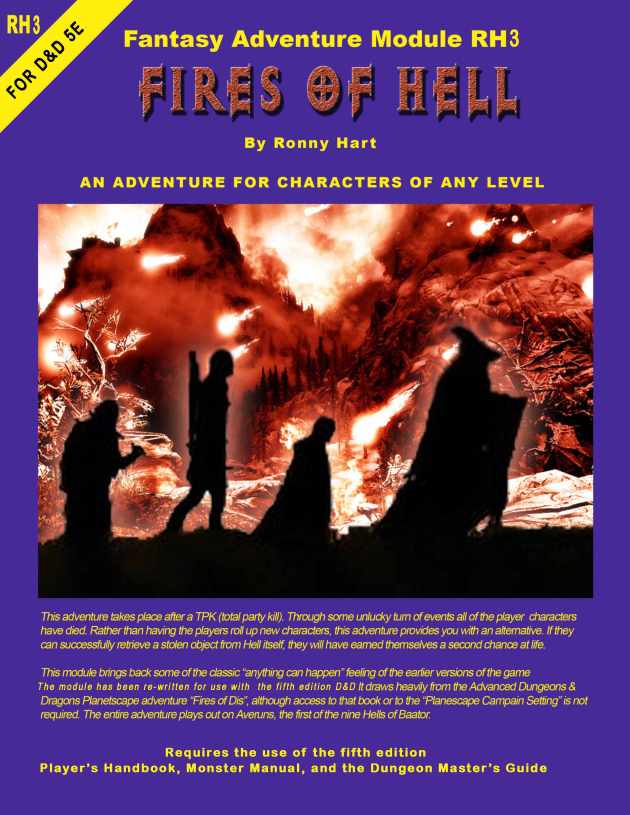
D&D 5E – Adventure Module – Fires of Hell

Fires of Hell - Cover

A free adventure module for fifth edition Dungeons and Dragons.

Download the free adventure here: Fires of Hell

This  adventure takes place after a Total Party Kill (TPK).  It allows a group of DEAD PCs to earn a second chance by fighting their way through the first layer of Hell to retrieve a stolen artifact. It is unlike other modules in that it is written to accommodate a party of any size and any level (1 to 20).

This is a complete re-write of the module I posted previously. I updated the entire module to work with D&D 5E rules. It also includes converted monsters that are not in the 5E Monster Manual – on new color reference sheets – Abishai Devils, Kaorti Devils, Nupperibo Devils, Cranium Rat Swarms, and Winged Fiend Swarms (a new monster of my own creation), and Charon (Boatman of the Lower Planes).                           

I hope you enjoy this as much as I enjoyed writing it. Please post any comments you may have. Let me know if you find any of this useful.

D&D 5E – Initiative Cards

Init_Cards

Free fillable initiative cards for 5th edition Dungeons and Dragons.

Download the fillable pdf file here: Int_cards

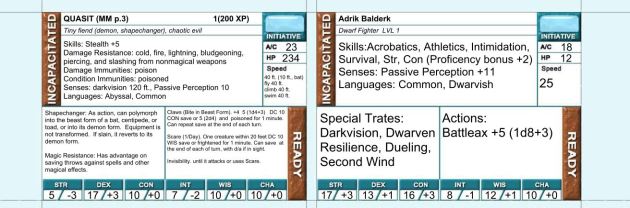
The Initiative Cards in this download include eight 2 1/2″ x 3 1/2″ cards on one 8 1/2″ x 11″ sheet. They include examples of how they can be filed out for both PCs and Monsters. What I do is have each player roll for their PC’s initiative and write the results on their card. I do the same for the monsters. I then gather all the cards and sort them in initiative order before the start of combat. I can then refer to the stats on the cards during combat.

For those of you who (like me) prefer a larger card, here are the same cards only these cards are  3″ x 5″: INIT_MONSTER_CARD_3x5

As always, comments are welcome.

//

D&D 5E – Quick Play Character Sheets

races

Ready-To-Play First Level Character Sheets

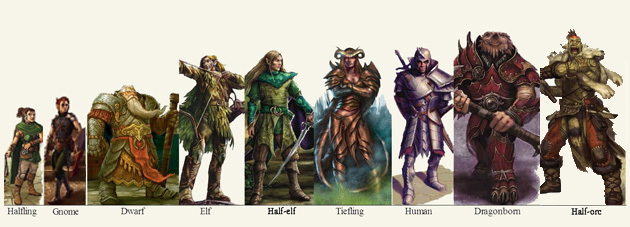
If you want a ready-to-play first level character for fifth edition dungeons and dragons, simply select your character sheet below. Pick the race and class you want, download the filled-in character sheet, give him a name and he will be ready to play.

There is a newer version of these sheets HERE.

I used the Autofill Character Sheet that I posted [here] and used the suggested quick build from the Player’s Handbook as a guide to fill in the information.

If you want, you can change any of the information.

Changing the level will only update the next level XP goal, the proficiency bonus and all of the fields that are effected by the changed proficiency bonus. You will have to make all other adjustments that may be needed for the new, higher level character.

I used the standard array [15, 14, 13, 12, 10, and 8] for ability scores. I placed the first two scores in the abilities as suggested in the Player’s Handbook for the quick build for the class, and I put the others where I thought best for the class. I then adjusted them based on the character’s race.

For all the rest of the information, I used my best judgment to create what I thought would be a “typical” build for each race and class.

I only have Human and Dwarf for now. I will be adding the other races as I get the time to work on them.  Finished

Human

Human_Barbarian, Human_Bard, Human_Cleric, Human_Druid, Human_Fighterr, Human_Monk, Human_Paladin, Human_Ranger, Human_Rogue, Human_Sorcerer, Human_Warlock, Human_Wizard

Dwarf

Dwarf_Barbarian, Dwarf_Bard, Dwarf_Cleric, Dwarf_Druid, Dwarf_Fighter, Dwarf_Monk, Dwarf_Paladin, Dwarf_Ranger, Dwarf_Rogue, Dwarf_Sorcerer, Dwarf_Warlock, Dwarf_Wizard

Elf

Elf_BarbarianElf_BardElf_ClericElf_DruidElf_FighterElf_MonkElf_PaladinElf_RangerElf_RogueElf_SorcererElf_WarlockElf_Wizard

Halfling

Halfling_BarbarianHalfling_BardHalfling_ClericHalfling_DruidHalfling_FighterHalfling_MonkHalfling_PaladinHalfling_RangerHalfling_RogueHalfling_SorcererHalfling_WarlockHalfling_Wizard

Dragonborn

Dragonborn_BarbarianDragonborn_BardDragonborn_ClericDragonborn_DruidDragonborn_FighterDragonborn_MonkDragonborn_PaladinDragonborn_RangerDragonborn_Rogue, Dragonborn_SorcererDragonborn_WarlockDragonborn_Wizard

Gnome

Gnome_BarbarianGnome_BardGnome_ClericGnome_DruidGnome_FighterGnome_MonkGnome_PaladinGnome_RangerGnome_RogueGnome_SorcererGnome_WarlockGnome_Wizard

Half-Elf

Half-Elf_Barbarian,  Half-Elf_Bard,  Half-Elf_Cleric,  Half-Elf_Druid,  Half-Elf_Fighter,  Half-Elf_Monk,  Half-Elf_Paladin,  Half-Elf_Ranger Half-Elf_Rogue,  Half-Elf_Sorcerer,  Half-Elf_Warlock,  Half-Elf_Wizard

Half-Orc

Half-Orc_BarbarianHalf-Orc_BardHalf-Orc_ClericHalf-Orc_DruidHalf-Orc_FighterHalf-Orc_MonkHalf-Orc_PaladinHalf-Orc_RangerHalf-Orc_RogueHalf-Orc_SorcererHalf-Orc_Warlock Half-Orc_Wizard

Tiefling

Tiefling_BarbarianTiefling_BardTiefling_ClericTiefling_Druid Tiefling_FighterTiefling_Monk Tiefling_PaladinTiefling_RangerTiefling_RogueTiefling_SorcererTiefling_WarlockTiefling_Wizard

Enjoy.

D&D 5E – Character Sheet – Autofill

Sheets2

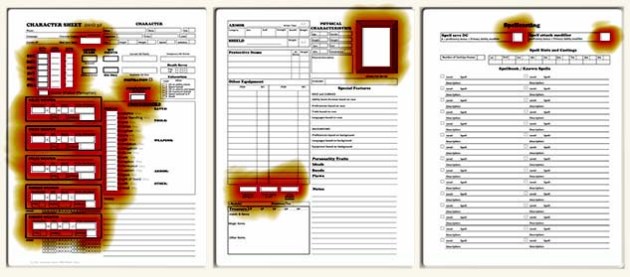
I added autofill to my Character Sheet. You fill in most of it but, where it can, it will make the calculations and fill in the rest.

UPDATE: The character sheets on this page are an older version. For the most recent auto-calculate Character Sheets click HERE.

UPDATE – Need more room to enter all of your information? Need a reference sheet listing the features for your class? Go to this more recent post for a larger character sheet and class feature sheets:
https://olddungeonmaster.wordpress.com/2017/09/21/dd5e-character-sheet-rev7/

[I made a minor correction to the file – it wasn’t calculating the weapon damage bonus correctly – if you downloaded this file before Oct 7, 2014 – you should replace it with the new one]
[I made another minor revision to the file. After using it for a while, I decided that it needed a fer minor formatting changes. if you want the older file it is available here. ]

I recommend that you make a copy of this before making any changes, and save a separate copy for each character. You can save a separate copy each time you advance a level to have an historical record.

I tested it on Adobe Reader XI (Version 11.0.5). If you use another PDF reader and something doesn’t work, download and use this one (it’s free).

What has changed from the previous version?

Page 1

This form no longer calculates the “Character Creation Date.” You can enter any date you want.
When you enter your character’s “level” The “Next Level Goal” will be filled in with the total  XP required to advance to the next level. For example, if you enter your character’s level 5, it fills in the experience point total required to advance to level 6. The exceptions are for levels 0 and level 20. It leaves the spaces blank if you enter 0, and it lists the XP required to reach level 20, even when you are already at level 20, because there are no riles for advancing beyond that level.

Entering your “level” also calculates and fills in your “proficiency bonus.”

Initiative is not filed in for you. Typically this will be your Dex modifier, but there are feats and effects that might change this.

When you fill in your Ability Scores, the form automatically fills in your ability modifiers and also puts these in the appropriate spots for your saving throws and skills.

Click on the little boxes next to a saving throw or skill and your Proficiency Bonus is automatically added to it. If you have additional bonuses to a skill or save, you will need to note it in the Notes section.

The Passive Wisdom (Perception) bonus is filled in for you based on your level and wisdom modifier.

It does not calculate Hit Points or Armor Class.

The spaces in the Weapon boxes remain blank until you enter text on the line provide for the weapon’s description. Type in any name or description and it will fill in your ability bonus for attack and damage. If you have proficiency with this weapon, click on the box next to the word proficiency and your proficiency bonus will be added to the attack bonus. If you are using a finesse weapon and want to use your Dex bonus on attacks instead of your Str bonus, click on the “Finess Weapon” button and it will switch them. If you want to use your strength modifier on a range weapon and it has the thrown property, click “thrown”. Any magical bonus you enter will also be added to the attack and damage bonus.

Page 2

Your “Carrying Capacity” and “Push, Pull or Lift” numbers are calculated and filled in based on your strength.

The “total weight carried” box is calculated based on the total weight entered for all the items above. You must use only whole numbers or decimal numbers (don’t enter 1/2 for instance, use .5 instead). If you enter anything other than a number it will display “NaN”. This total does not include weight of coins or treasure.

Refer to my Weight of Standard Equipment Packs.

You can insert an image into the “character sketch” area. Just click on it and locate the image you want to use. This must be a PDF format image. If you want to use an image from my Player Character Image Gallery, you must first convert it to PDF format. There are several available programs for doing this. If you have a problem with it, just let me know.

Page 3

This page remains blank until you use the pull down box to select your spellcaster’s primary ability: Intelligence, Wisdom or Charisma. When you select one, it fills in your spell save DC and spell attack modifier.

If you need more room for spell descriptions, you can download spell cards here: Spellbook Cards

NON-PRINT BOXES
There are two shaded Buttons on the bottom of page 1 that do not print. The first is “Update Calculations.” All of the fields on all 3 sheets should update whenever any change is made to any one of them. Sometimes it doesn’t do this right away. That is what this button is for. Click it and all of the calculations for all of the fields that are field in for you are forced to recalculate and update. I recommend that you click on this button before you print the sheets. Of course you can click on it at any time to be sure the values are all correct.

The other button is “Clear”. This clears all information from all of the fields. You can click this to clear all information and start over, or if you want to print a blank sheet to fill in by pencil. Be careful though, this clears all information on all 3 pages. I found that sometimes this doesn’t clear the image from the character sketch. If this happens to you, try saving and closing the file. Re-open it and you should then be able to clear the character sketch.
If you realize you clicked the clear button it by mistake, you have one chance to restore the erased information. You can press Ctrl Z to restore the form. But you must do this before you do anything else or it may be too late.

The previous version of this form is still available here: 5e Character Sheet

D&D 5E – Spellbook Cards

Do you use Spell Cards to reference your spells?

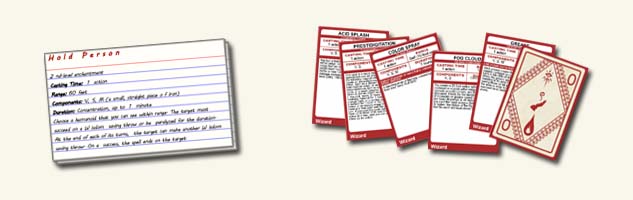
Magic_CardsI have always found it useful to write down the information for each spell that my character could use on a 3×5 index card. Then I could pull just those cards with the spells I had prepared for easy reference.

Gale Force Nine has announced that they will soon have available now have available an official set of spell cards for 5th edition Dungeons and Dragons. I will probably get a set when they are available. You can read about them here: Adventurers Kit

In the mean time, Someone on reddit created an online spell card creator, where you can upload your own CSV file to make your own cards. It’s located here: D&D Next spellbook  card generator

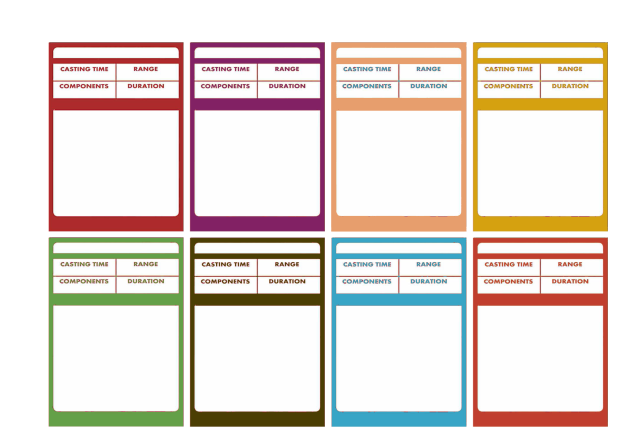
If you are like me, and like the larger 3×5 cards, you can download a Form-fillable PDF file that I created that prints 4 3″x5″ cards on one 8 1/2″ x 11″ sheet of paper. You will have to enter all of the information about each spell, but then you can print them on your own printer. The first card has the information on the GREASE spell for you to use as a guide. You can download this file here: Spell_Cards

5e_Blank_cards

UPDATE – now more cards on a sheet!

Thanks to the suggestion by James RW.  You can download them here: 5e_Blank_Spell_Cards

These cards are the more traditional 2 1/2″ x 3 1/2″, like the power cards that the 4e Character Creator would print out.

Thanks to godeckyourself.com for appropriate printing instructions:

Prepare
Take some time to find the right paper for your printer.
Traditional paper makes your prints look dull and faded, and feel very flimsy. Find the thickest paper your printer can handle; photo paper tends to have a nice thickness.

Print
For best resuLts use the Latest version of Adobe Reader. After clicking print disable print scaling to prevent the cards from stretching.

Protect
Buy some card sleeves at your Local gaming store to protect your deck from gaming onslaught. These cards are the same size as poker cards, 2.5 by 3.5 inches, and fit modern sized card sleeves.

COLOR CARDS

Blank Spell Cards - Colors

As requested by Gabriel Schive, you can now have spell cards in various colors. Download them here.

D&D 5E – Spellbook


Ian Eller posted a system for creating a lost spellbook with just a few dice rolls.

spellbook

Here is a link to his post: Magical Monday: Tons of Tomes

D&D 5E – Animal Companion / Familiar Character Sheet

Fillable Animal Companion / Familiar Character Sheet for the 5th Edition of Dungeons and Dragons

Critter_SheetClick on the image above for a form you can print out and fill in by hand.

For a Fillable PDF version click here: 5.0 CRs – Animal Sheet – RRH – fillable

Enjoy!

//

D&D 5E – Character Sheet

Sheets

Download this Autofill PDF file HERE

UPDATE: The character sheets on this page are an older version. For the most recent auto-calculate Character Sheets click HERE.

Here are some ready-to-play first level character sheets: D&D 5E – Quick Play Character Sheets

I really like the new fifth edition rules, but I am not a big fan of the character sheet provided by Wizards of the Coasts in The Basic Rules for Dungeons and Dragons, so I created my own. I found several others that fans have created, but I don’t care for them much either.

This has everything the player needs for combat on the front or first page and everything else on the back or second page. There is a third sheet for spell casters.

Revision:

I revised the file somewhat. I added lifestyle expenses to the second page and made a few other minor changes. It fills in the current date and calculates ability modifiers. You can click on the date and change it. If you delete the date it fills in with the current date. If you don’t want any date printed, you can delete the date and add a space. I also added a “Clear” button on the first page. It doesn’t print, but be careful with it because it clears all of the information you have added to all three pages. I purposefully did not calculate any skill or saving throw bonuses. Typically, your skill bonuses will be your ability modifier. Put a check mark in the little box next to a skill if you are proficient in that skill and add your proficiency bonus to your ability modifier. I didn’t calculate this, because there are situations where some characters have a larger bonus than this.
Many thanks to George Karas for his help and suggestions. He felt that the spell list needed more room for more lengthy spell descriptions. For simplicity sake, I decided not to do that. My feeling is that if you want a more complete spell description you could copy the descriptions onto cards (that is what I would do) or add another sheet.
The border is wider on the left on page 1 and on the right on page 2. The reason for this is for those of you that want to print your character sheet on two sides of a single sheet of paper. There should be a wide enough border that you can punch holes on the side to put it into a three ring binder.

D&D 5E – Weight of Standard Equipment Packs

Nodwick

The Basic Rules for Dungeons and Dragons are available as a free pdf download from Wizards of the Coasts. If you don’t have yours yet they are available here. I am very excited about these and will post a full review later. For now, here is something I hope you will find helpful.

The rules for encumbrance is a variant. However, if you choose to use them it would help if the weight of the various equipment packs were listed in the D&D Basic Rules. I have added up the weight of each of the individual items in each pack and have listed them here. These weights assume a full waterskin, for the packs that contain one. You can subtract 5 lb. for an empty waterskin.

Just out of curiosity, I also added up the cost of the packs if the items were purchased separately. It turns out that most of them really are a bargain, so if you like most of the items they contain, you may as well go with a pack.

Burglar’s Pack (16 gp): Total Weight 46.5 lb (Over 21 gp. if purchased separately.)

Diplomat’s Pack (39 gp): Total Weight 46 lb (Slightly over 39 gp. if purchased separately.)

Dungeoneer’s Pack (12 gp): Total Weight 61.5 lb (Over 17 gp. if purchased separately.)

Entertainer’s Pack (40 gp): Total Weight 38 lb (Over 63 gp. if purchased separately.)

Explorer’s Pack (10 gp): Total Weight 59 lb (Same cost of 10 gp. if purchased separately.)

Priest’s Pack (19 gp): Total Weight 25 lb (Over 27 gp. if purchased separately.)
The Priest’s Pack contains items that are not listed for purchase separately. Here are the values I used.
alms box, [a well-made small wooden box about 1 gp and 1 lb.]
2 blocks of incense, [2 smaller blocks of cheap incense should cost about 1 gp, the weight is negligible]
censer, [a light weight brass censer and chain should be about the same as a holy symbol 5 gp 1 lb]
vestments, [Fine clothes cost 15 gp and weigh 6 lb. so we can use that]

Scholar’s Pack (40 gp): Total Weight 11 lb (Cost of a little over 40 gp. if purchased separately.)
This assumes a small knife cost 2 gold pieces and a little bag of sand is 1 lb.

//