Dungeon Master Assistance

Where anyone over 18 can share thoughts and ideas on RPGs.

Tag Archives: Dungeons and Dragons 5th Edition

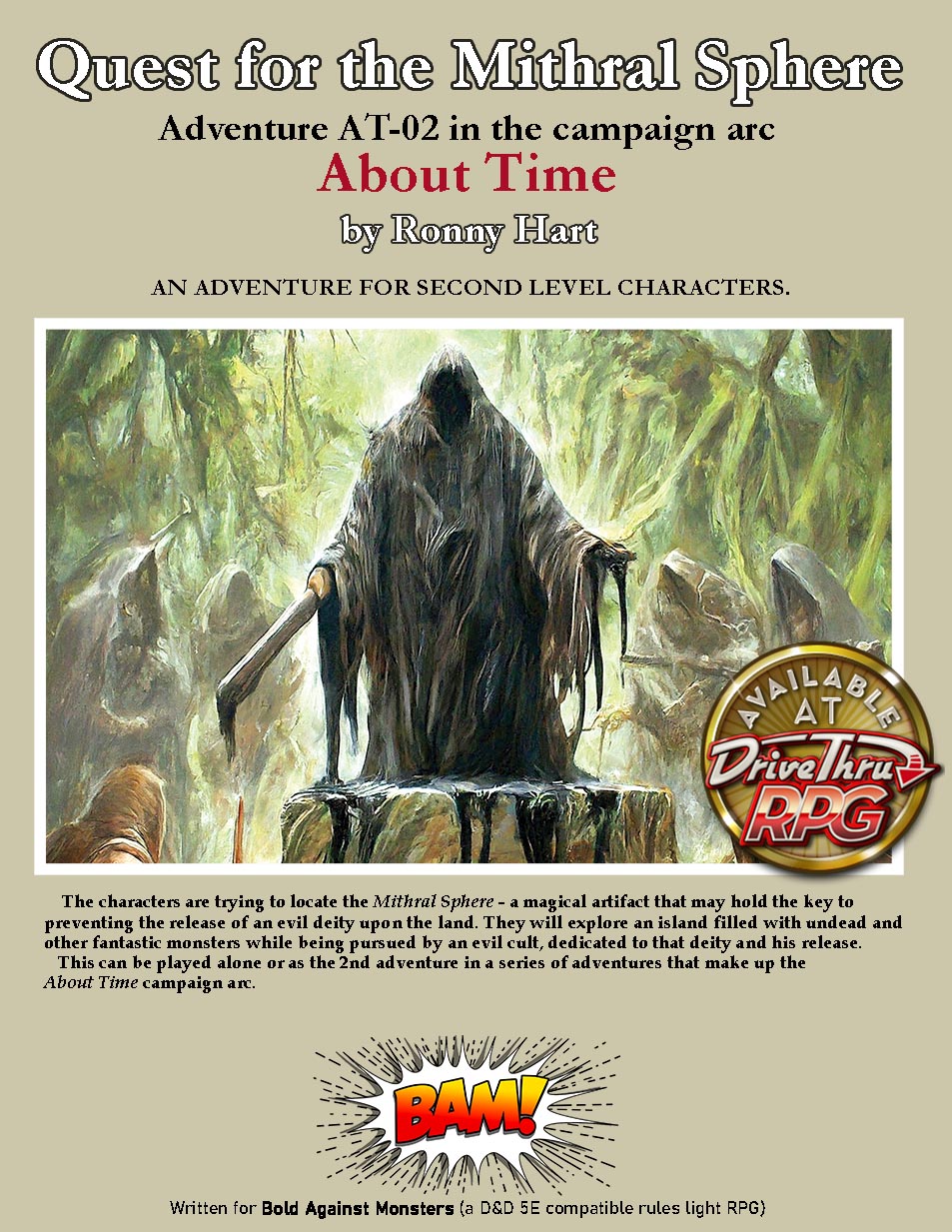
AT-02 Quest for the Mithral Sphere – Free PDF of Published Version

I am providing it free here as a thank you to my loyal followers on this blog.

Download your free PDF files below. These are the exact same files that I am selling on DriveThruRPG.

BAM – AT-02 Quest for the Mithral Sphere_v01.pdf [6,165KB]
BAM – AT-02 – VTT Pack.zip [21,596 KB]

Quest for the Mithral Sphere,written for 4 second level characters, can be played alone or as the second adventure in a series of adventures that make up the About Time campaign arc.
    The characters have been hired by the nearby fishing village to map this island and report any threats. It is about 10 miles long and 4 miles wide with an active volcano on one end. Believing it to be haunted, no one from the village will set foot on the island.
    The characters have another reason for going on this expedition; they have reason to believe there is hidden treasure somewhere on the island. And that treasure includes the Mithral Sphere, a powerful artifact that is needed to prevent an evil deity from escaping his imprisonment, loosing a destructive evil force on the world.

Also included:

➛ This is a micro-hex crawl. Where hex crawls typically use a scale of 6-10 miles per hex, or 20-70 miles per hex for larger regions, this adventure uses a map where each hex is only one mile across. This micro-hex crawl packs a lot of interesting features and exciting encounters into a relatively small area that has way too many undead creatures.
➛ This introduces a system for using a single random encounter table for encounters of different difficulties, depending on which die you roll.
➛ It has 26 monsters (12 of them new), all complete with full stat blocks and tokens.
➛ For each encountered monster, it lists the page number where that monsters full stat block can be found in the appendix. It then has an abbreviated version of the monster’s stat block on the page with the encounter.
➛ It includes Puck, a companion for the group, a detailed and illustrated NPC with a full stat block and information to help the GM play the character, a tiny fey creature (sprite) with a playful nature.
+ Free VTT Pack with high quality Battle Maps, player handouts, and Tokens.

Quest for the Mithral Sphere is written for the rules light, D&D 5E compatible, RPG Bold Against Monsters (also called BAM). It requires either the use of the Bold Against Monsters Core Rule Book, or the D&D fifth edition Player’s Handbook, or the Tales of the Valiant Player’s Guide.

The first adventure was “AT-01 An Ancient Evil” – primarily an urban adventure.
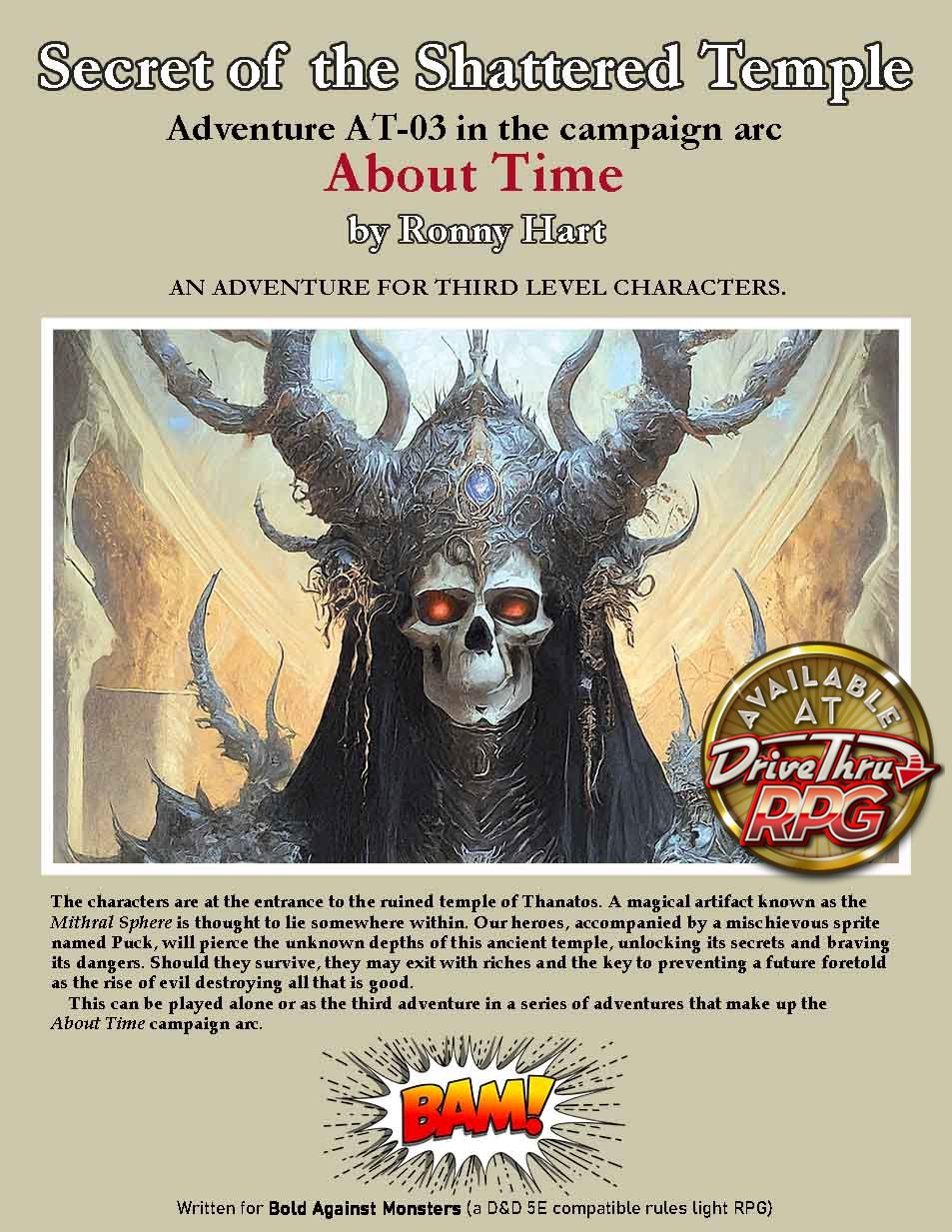
The next adventure is “AT-03 Secrets of the Shattered Temple” – a dungeon crawl.

If you would like to purchase An Ancient Evil as a (soon to be available) soft cover book, or to support me by paying for the PDF, go to DriveThruRPG.

AT-01 An Ancient Evil – Free PDF of Published Version

I introduced the It’s About Time Campaign arc here in May 2024 when I posted AT-01 An Ancient Evil. I haven’t finished writing these adventures. The last one I posted here was AT-08 The Pirate Queen’s Ploy in March this year. I still intend to finish these, but first I am re-writing them specifically for use with my new rules light 5E compatible RPG game rules Bold Against Monsters (BAM). I have just finished the first of these and it is now for sale on DriveThruRPG.

Because BAM only supports player characters up to 10th level, the target now is to wrap up the campaign at that level. I have also dropped the tie-in with my time travel rules. For those of you waiting for the conclusion of the original adventures, I apologize for the delay. Hopefully you will enjoy these revised adventures. I’m going to convert everything, other than the images, to avoid any copyright issues. I’m cleaning up and polishing all of the text. Practically every location and encounter will be improved. I think you will enjoy the new consistency and ease of play.

I am providing it free here as a thank you to my loyal followers on this blog.

Download your free PDF files below. These are the exact same files that I am selling on DriveThruRPG.

BAM – AT-01 An Ancient Evil_v01.pdf [5,176KB]
BAM – AT-01 – VTT Pack.zip [4,50 KB]

This is the first installment in a series of adventures collectively called About Time.
An Ancient Evil starts out as an urban adventure for 4 first level characters, set in the small fishing village of Saltport Cove. It highlights many of the village’s locations. A mixture of encounters includes roleplaying, investigation, combat, and a festival with games where they compete with the local fishermen.
Just before midnight, while celebrating the coming of the new year, a fireball zooms overhead and crashes into a nearby island causing a large wave to destroy much of the dock area. The party is hired to map the island and report any threats.
As they step onto the island they are teleported to another location and 10,000 years into the past, where they fight monsters and learn of a threat to their entire world. They are then returned to the present where they can continue their exploration of the island in the next episode in the About Time campaign arc.

The fully bookmarked 36 page PDF includes:
An abbreviated stat block for every NPC and monster on the page of the encounter, with a link to the full stat block in the appendix.
An introduction to the world of Manoria – a new campaign setting.
Manoria’s creation myth and the full BAM pantheon with all the major and minor deities, their domain, associated races, worshipers, alignment, and holy symbol.
An overview of time travel with tips on solving potential paradoxes.
Detailed and illustrated NPCs with full stat blocks and information to help the GM play the character.
New monsters with full stat blocks: Barracuda Swarm, Buccaneer, Cave Lion, Cultist Fanatic, Mammoth Calf, Neanderthal Warrior, Giant Octopus, Minor Siren.

The VTT Pack includes:
➛ High quality Battle Maps
➛ Player handouts
➛ Tokens

An Ancient Evil is written for the rules light, D&D 5E compatible, RPG Bold Against Monsters (also called BAM). It requires the use of the Bold Against Monsters Core Rule Book (available free HERE), or the D&D fifth edition Player’s Handbook, or the Tales of the Valiant Player’s Guide.

If you would like to purchase An Ancient Evil as a soft cover book, or to support me by paying for the PDF, go to DriveThruRPG.

Bold Against Monsters – Free PDF of Published Version

The print-on-demand book version of my Bold Against Monsters (BAM) is now available on DriveThruRPG. I found that it isn’t easy to charge for the printed version but make the PDF free (pay what you want). As a result, I no longer offer the PDF for free on DriveThruRPG.
SO I AM POSTING IT HERE!
For the foreseeable future, everything that I post for sale on DriveThruRPG, I will also post for free here.

I am providing these free here as a thank you to my loyal followers on this blog.

Download your free PDF files below. These are the exact same files that I am selling on DriveThruRPG, and are a major update to the rules I previously posted on this blog. They are all 8.5″ x 11″. The Rule book is full color, and the others are all black and white.

BAM Rules [80 page PDF 6,870 KB]
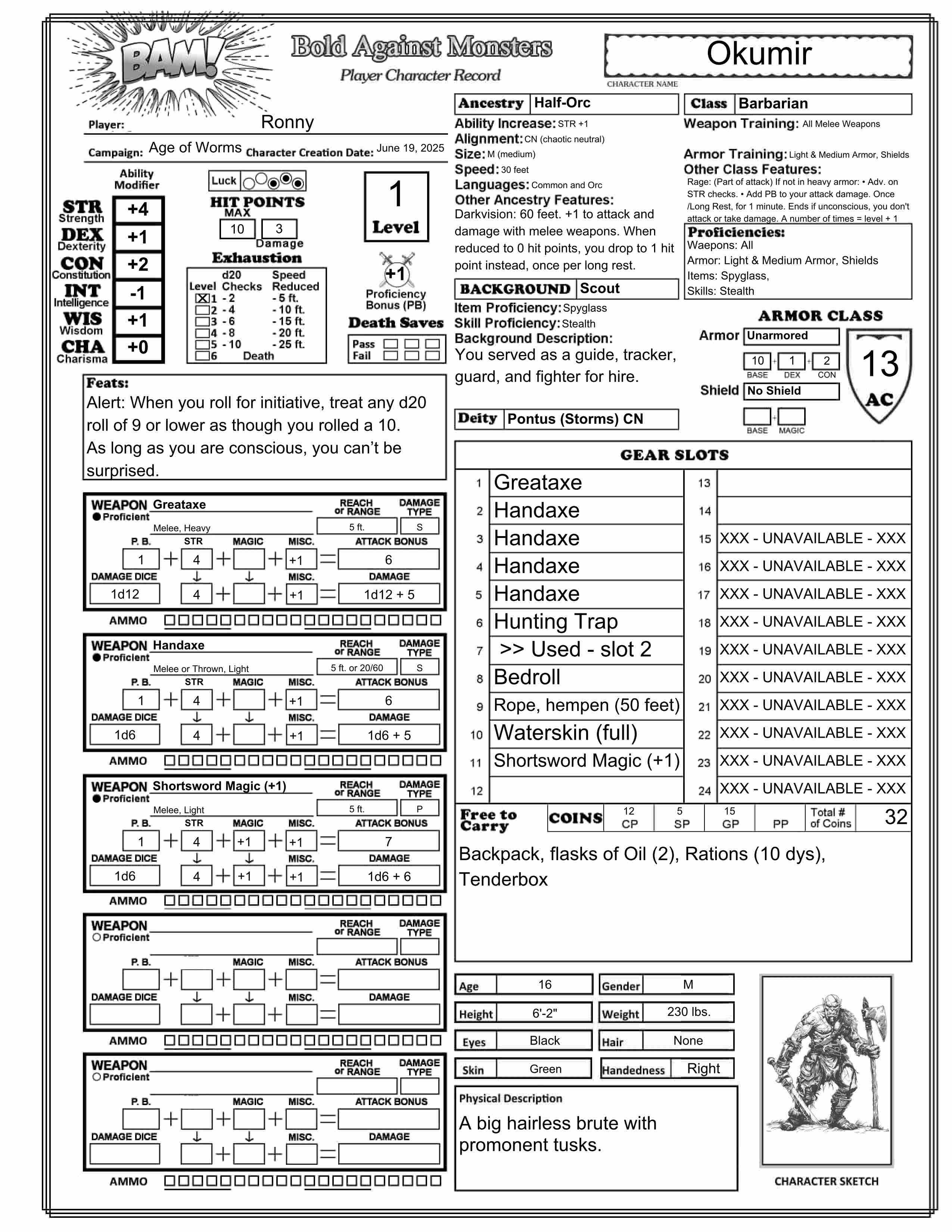
BAM Character Sheet [1 page form-fillable PDF 1,015KB] You can select Ancestry, Class, Weapons, Equipment, and more from drop-down lists and many calculstions are done for you.
BAM Class Reference Sheets [6 page PDF 112KB] Intend to be used along with the Character Sheet.
BAM Weapons [4 page PDF 159KB] A list of every weapon type with information regarding their special features – useful when players are selecting their weapons.
BAM Weapon Cards [22 page PDF 2,479KB] You can print these 2 sided and cut them out for cards, one for each weapon type. Perfect for each player to have a card for each of their character’s weapons, with that weapon’s properties and special features to use during game play. There is also space on the card to calculate the weapon’s bonuses to hit and damage. On the back is a drawing of the weapon along with its name and cost.

Bold against Monsters (or BAM) is a 5E compatible rules-light fantasy Role Playing Game (RPG). Everything needed to play or run a game is in this book. It is compatible with any published 5E adventure for characters up to level 10. It can serve as an introduction to 5E role playing for new players or anyone looking for a game with familiar characters you can easily create and quickly play. Character creation, level advancement, weapons, inventory tracking, proficiencies, spellcasting, combat, and more have been simplified.

BAM includes:
➛ Information on how BAM compares to D&D and how to convert 5E Adventures to BAM.
Five ancestries (called “Race” in 5E, “Species” in 5.5): Beastkin (a bipedal humanoid with some beast features), Dwarf, Elf, Halfling, Human, and Half-Orc.
Eighteen backgrounds: Acolyte, Chirurgeon, Cult Initiate, Farmer / Rancher, Herbalist, Jeweler, Mercenary, Minstrel, Noble, Ranger, Sailor, Scholar, Scout, Sheriff or Watchman, Soldier, Thief, Urchin,and Wizard’s Apprentice.
Six classes: Barbarian, Cleric, Fighter, Paladin, Rogue, and Wizard. All the class features gained through all levels are presented on a single page. There are no subclasses and no multiclassing.
Character Levels. Characters only advance to level 10.
Gaining Feats: Every character gets a feat at level 1, 4, and 8. Humans get one additional feat at level 1.
Twenty-five Feats: Ability Enhancement, Alert, Arcanist, Archer, Armor Expert, Armor Training, Athlete, Brawler, Careful Observer, Charger, Combat Caster, Elemental Savant, Fighting Styles, Medic, Polyglot, Quick, Savage Attacker, Scout, Shield Mastery, Spell Duelist, Strength of Mind, Tough, Trap Specialist, Vanguard, Weapon Expert, and Weapon training.
Gear Slots: Each item you carry fills a number of gear slots that represents its approximate weight and/or its carrying difficulty. The number of filled gear slots you can carry is equal to 10 + twice your STR modifier (minimum of 10 slots total).
Weapon Types: Weapons fall into 3 broad categories; Melee, Thrown, and Ranged.
Each of those are further divided into Light, Medium, or Heavy.
Weapon special features: Most of the weapons have a feature that is unique to that weapon. For example, for the Javalin; “On a critical hit: Rather than doing damage, you can choose to pin a humanoid target to an adjacent wall or surface. Its speed becomes 0 until the start of your next turn, unless the target, or another creature, uses its action to release the target.”
Deities: Clerics and Paladins are required to specify which deity they worship. The BAM pantheon is provided should you choose to use it.
Combat: On your turn you can move up to your speed and perform one action, Or you can move twice if you don’t perform any action.
Spellcasting: There are no Spell Slots. You can cast any spell you know. To cast a spell, you must roll a spellcheck. If it succeeds the spell takes effect, otherwise it fails. A natural 20 is a critical success, you double one of the spell’s numerical effects. A natural 1 is a critical failure, the spell is removed from your list of know spells. There are no Spell Components, no Spellbooks, no Casting at Higher Levels, and no Rituals.
Monsters: BAM includes a few monsters based on ones from Tales of the Valiant. You must get your other monster stats from other sources. Any monster that you would pit against a party of 5E PCs will provide an encounter of similar difficulty using BAM against a party with the same number of PCs at the same level.

If you would like to purchase BAM rules as a soft cover book, or to support me by paying for the PDFs, go to DriveThruRPG.
Weapon Cards – A new look at old weapons.

These weapons are intended as a replacement for the weapons in the official rules. They have been modified somewhat to work with Bold Against Monsters (BAM) and ShadowDark, but could be used with Tails of the Valiant (ToV), Dungeons and Dragons 2014 (D&D 5e) or Dungeons and Dragons 2024 (D&D 5.5). This free PDF file contains all the weapons that are in D&D 5.5 (except for the Musket and the Pistol). There is a card for each weapon containing the features for the weapon and a box at the top for calculating the Attack modifier and Damage for each weapon. For ranged weapons, there is a space at the bottom of the card for tracking used ammunition.

Download your free PDF file HERE.

Update #1: 8/2/2025 Removed “Long” feature and added special features to most of the weapons.

This a black and white 22 page (8.5″x11″) PDF file. There are four 3″x5″ cards on each page that you will have to cut out (except on page 1). If printed 2 sided by long edge you will have 36 two sided weapon cards with a drawing of the weapon on the back of each card.
Page 1 contains a card with information regarding Ability Modifiers and Character Sizes. It also has an example card with information on how to fill in the blanks that are on the weapon cards.
There are also cards for Unarmed attack, Improvised weapons (both melee and thrown), and blank cards.

What I changed and why.

First I was just going to make a set of printable cards so each player could have a card for each of the weapons their PC had that would contain the basic information and the calculations used to arrive at that weapon’s damage and attack bonus.
After working on this for a while, I realized that the old categories and properties needed to be re-organized and simplified.

Weapon Properties: I added a “medium” weight property and changed the weight property on a few weapons. I added the “light” property to the dagger, dart, spear, sling, flail, rapier, whip, blowgun, and hand crossbow. Then I added a “medium” weight property to the other weapons that weren’t listed as having the “light” or “heavy” property.

I got rid of the Simple and Martial categories so, for D&D, you will need to adjust Weapon Proficiencies for the Classes.

Barbarian, Fighter, Paladin, and Ranger – “Simple and Martial weapons” changes to “All weapons.”

Bard, Cleric, Druid, Sorcerer, Warlock, and Wizard – “Simple weapons” changes to “Light and medium weapons.” [Note: To exactly match D&D 5.5 this will have to change to “No heavy weapons. No medium weapons other than the greatclub, javelin, mace, quarterstaff, light crossbow, or shortbow. All light weapons except for the flail, rapier, scimitar, shortsword, or whip.“]

Monk and Rogue – “Simple weapons and Martial weapons that have the Light property” changes to “Light weapons.” [Note: To exactly match D&D 5.5 this will have to change to “All light and medium weapons except for the Battleaxe, Longsword, Morningstar, Trident, Warhammer, or War Pick.“]

Added the “Thrown” weapon type and replaced “Reach” with “Long“.

Some melee weapons could be throne and some had to be thrown, making them more like ranged weapons. To clarify, I added the “Throne” weapon type.

ABILITY
Which ability modifier to use for attack and damage. (For D&D, I removed the “finesse” property and added the DEX or STR option to the cards where it applies.)

  • Melee and Thrown weapons
    • Light: use your DEX modifier
    • Medium: use your STR modifier
  • Ranged weapons
    • Light: use your DEX modifier
    • Medium: use your DEX modifier
    • Heavy: use your STR modifier

ONE or TWO HANDED
Which weapons can your character use one handed, based on your size, unless noted otherwise.

  • Large (or larger) character:
    • You can weld any weapon one handed.
  • Medium character:
    • Light weapons – You can weld them one handed.
    • Medium weapons – You can weld them one handed.
    • Heavy weapons – You must use 2 hands to weld them.
  • Small character:
    • Light weapons – You can weld them one handed.
    • Medium weapons – You must use 2 hands to weld them.
    • Heavy weapons – You must use 2 hands to weld them, and you have disadvantage on attacks.
  • Tiny character:
    • Light weapons – You must use 2 hands to weld these.
    • Medium weapons – You must use 2 hands to weld them, and you have disadvantage on attacks.
    • Heavy weapons – You can’t use these weapons

ADDITIONAL FEATURES
Many of the weapons have a feature that is specific to that specific weapon type. For example, The greataxe has a feature called Second Target: “On a hit that drops the target, your swing can continue to also hit a target next to the first that is within range. If your attack could hit its AC, any remaining damage will be applied to the second target.”

When reading through these, keep in mind that in both BAM and ShadowDark your character only gets a single attack each round, making things like not adding your DEX modifier to your second attack made with a weapon in your other hand doesn’t apply.

I would love to hear your feedback on these weapon cards. Let me know what you think in the comments below.

Bold Against Monsters – Core Rule Book – free PDF download

Let me introduce Bold Against Monsters. (You can call it BAM.). This is a new D&D 5E compatible rules-light Role Playing Game that I – the Old Dungeon Master – just finished writing.

Download your free 74 page PDF copy of the BAM Core Rule Book HERE.
An updated version is available for free (or pay what you want) on DriveThruRPG. Here is the link:
https://olddungeonmaster.com/2025/10/31/bold-against-monsters-free-pdf-of-published-version/

I started with the 2014 versions of Dungeons and Dragons (5E). Then, based on my 40+ years of DMing, I eliminated or changed things I thought could be improved, added things I prefer from the 2024 versions of Dungeons and Dragons (5.5) and Tales of the Valiant (ToV), and used some of the concepts found in ShadowDark RPG (SD), modified for a more 5E compatible campaign. To all of this, I added some of my favorite house rules to come up with the Table Top Role Playing Game – Bold Against Monstrers. This is the game I like best. Give it a try, I think you will like it too.

This Core Rule Book contains everything you need to play the game (except for the dice). It is compatible for use with any published 5E adventure for characters up to level 10. It can serve as an introduction to 5E role playing for new players or anyone looking for a game with familiar characters you can easily create and quickly play. Character creation, level advancement, inventory tracking, proficiencies, spellcasting, combat, and more have been simplified without moving too far from the basics I love about the 5E game system.

This was made possible through the use of the D&D 5E and D&D 5.5 rules as published under Creative Commons License in SRD_CC_v5.1 and SRD_CC_v5.2 respectively, the ToV rules published as “Black Flag Roleplaying” under the ORC license, and the “Shadowdark RPG Third-Party License V1.1”. No AI was used in creating this. All artwork was found on-line with commercial licenses, or created by the author.

Update #1: 6/24/2025 (BAM Rules_v2.pdf) Minor changes
Removed the “Lifting and Carrying” and the “Push, Drag, or Lift” sections. They were in conflict with “Gear Slots”. I renumbered the pages (and updated the Table of Contents) so now when going to a page in the PDF, the number on the page will match the page number of the PDF file. Corrected misspellings (thanks to the comment from larrymannplays). Made a couple of cosmetic and formatting changes.

I’m always looking to improve my resources for the D&D community!  I would love to hear your feedback on this new RPG. Let me know what you think in the comments below. I am especially interested in your opinion on which rules you like or would have done differently.

Download your free form-fillable PDF BAM character sheet HERE.

The BAM Core Rule Book includes a character sheet on the back cover, but I also created this form-fillable version.

You will need to enter your ability modifiers and character level before the calculations for Weapons and Armor Class can be made. You can select Ancestry, Background, Class, Deity, and Weapons from drop-down lists, or enter any text in the box. For selected text, the features and other information below will fill in. For Ancestry, Background, Class, or Weapons text you typed in, you can enter any information below as you would like. To change the information below a selection you made, just change the name (adding a space behind the name will do). Clearing the text in the box, or making a different selection from the drop-down, will delete all the text below it.

Selecting your armor and shield from the drop-downs will calculate and display your Armor Class (AC).

Refer to the BAM Core Rule Book for information regarding Gear Slots. All the Weapons, Armor, Tools, and other equipment listed in that book can be selected from drop-downs, or you can type any text you want into the boxes.

There are now free Class Reference Sheets available to download HERE.

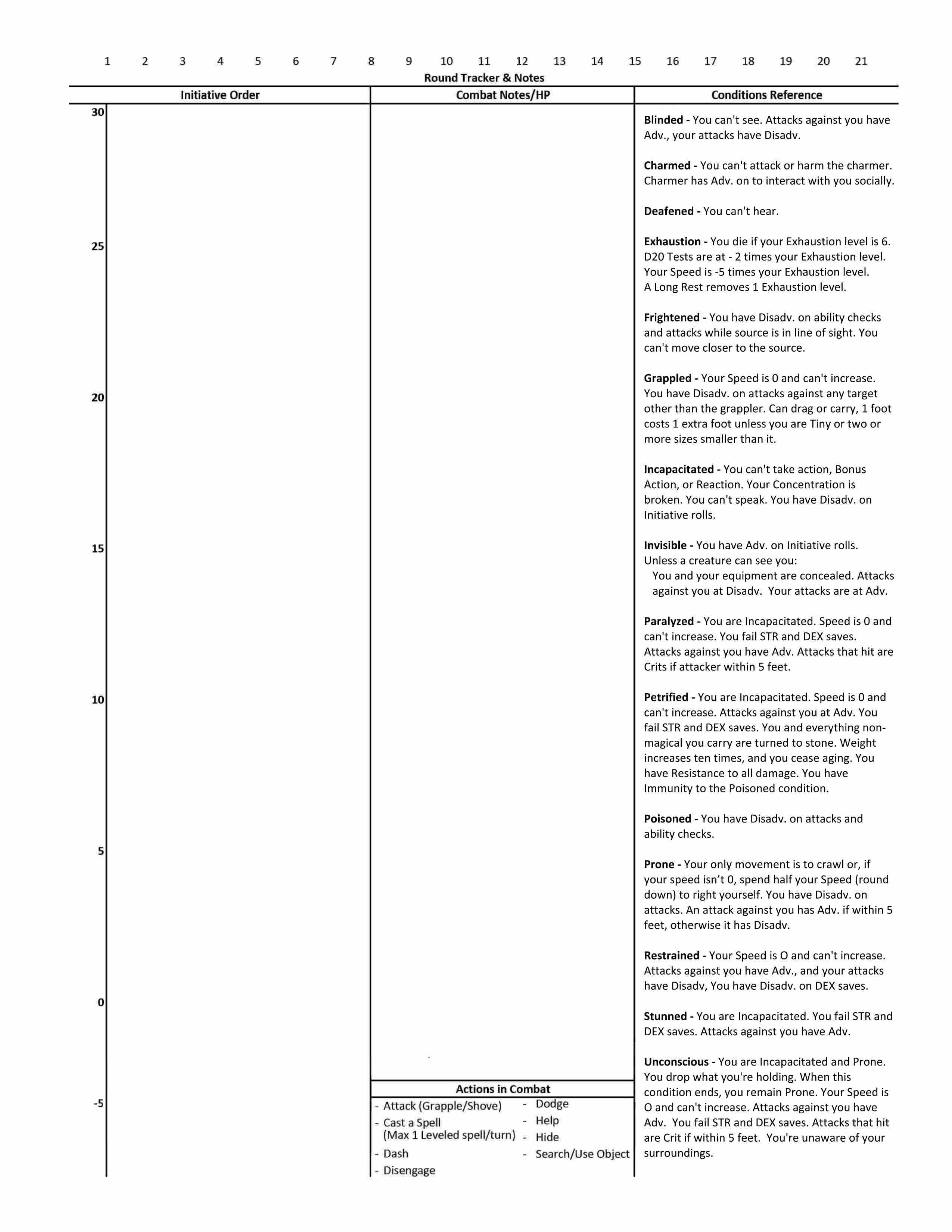
D&D 5.5 – Combat Tracker

Download free Combat Tracker sheet (PDF) here.


I posted a 5E version of this some time back. (My friend Nicholas sent me this excellent combat tracker. If anyone knows who created it, please let me know so I can give credit to him or her.)
Erichthegree commented on that post today that it needs to be updated to the new D&D 5.5 conditions, so that is what this is.
One complaint I have with the new Player’s Handbook is that the conditions are not presented all together in one place. This can be used for that, but I did have to abbreviate them a lot in order to get them to all fit in a single column.

The Old DM’s House Rules for D&D 5.5

There are a lot of things that I like about the new 2024 rules for Dungeons and Dragons (D&D 5.5) but there are several things that I don’t care for. Before I run a D&D 5.5 game, here are the house rules I will be using to address some of these issues. I am sure that I will be updating this list from time to time as I run across other problems. These are in addition to, and in some cases may replace, my existing 5E house rules that I posted here: D&D 5E – My House Rules.

House rules I will use when running a D&D 5.5 campaign

1) I will be using the new (2024) rules exclusively. Players may not use spells, races, classes, subclasses, etc. from any earlier publications.
2) I will be using the house rules I posted here: The Old DM’s House Rules on Hiding and;
3) You cannot attack an ally. This includes opportunity attacks.
4) You can swap weapons (sheath one weapon and draw another one) once, and only once, on your turn.
5) I will have to nerf many spells, Conjure Minor Elementals for example. (I may provide details in a future post.)
6) Most on-going spells end when their caster dies and you can end any spell you have cast (no action required) if you aren’t incapacitated.
7) No crafting of magic items.
8) Background. Create your own. Just make up any background you want. Then, based on that background;

  • Ability Scores. Increase three ability scores by 1, or one by 2 and one by 1, to a maximum score of 20.
  • Skill Proficiencies. Select any two skills to be proficient in.
  • Tool Proficiency. Select one tool to be proficient in.
  • Equipment. Select any equipment pack, or 50 GP.

9) House rules to prevent weapon mastery abuse.

  • You can’t use the weapon mastery feature of a weapon if you use it as an improvised weapon. An example would be throwing a melee weapon that doesn’t have the thrown property or making a melee attack with a ranged weapon.
  • Save: For mastery features that allow a save to avoid the effect, it will be either a DEX or STR saving throw and the DC is 8 plus the ability modifier used to make the attack roll and your Proficiency Bonus. You should always have that number calculated and ready to give to the DM when needed.
  • Cleave: A single attack roll is used against both targets. The two targets must be within 5 feet of each other, within your weapons reach, and positioned so that they could be hit with a single swing of your weapon.
  • Graze: A poison weapon does no poison damage on a miss. A roll of a natural 1 does not graze.
  • Nick: Reword this to “When you make an attack action with this weapon you can make a second attack with it. You can make this extra attack only once per turn.”
  • Push: Must be horizontally (not up into the air). The target can save to resist being pushed. If the creature is hit more than once by weapons that have this property, the distance they are pushed doesn’t exceed 10 feet.
  • Sap: The target can save to resist the Sap.
  • Slow: If the creature is hit more than once by weapons that have this property, or they are (or have been) affected by the use of the Slasher Feat, their total Speed reduction never exceeds 10 feet.
  • Topple: If the creature is hit more than once by weapons that have this property, they automatically save.
  • Vex: Reword this to “If you hit a creature with this weapon and deal damage to the creature, you have Advantage with the same weapon on your next attack roll against that creature before the end of your next turn.”


Additional house rules I may implement, depending on the adventure

1) No flying characters.
2) Player characters may not have an evil alignment.
3) No Multiclassing. (Multiclassing is no longer listed as an optional rule as it was in 5E.)
4) No Firearms.
5) No bastions.
6) I LIKE opposed checks.
7) My “rule of cool”: If I think it is cool I MAY allow it ONCE.

Call to action.

I’m always looking to improve my resources for the D&D community!  I would love to hear your feedback on these house rules. Let me know what you think in the comments below.

The Old DM’s House Rules on Hiding

sneaky

The Old DM’s House Rules on Hiding

D&D 5E’s rules for hiding are a mess. I previously posted my thoughts on this in my post D&D 5E – Stealth and Hiding. In a similar vein I posted D&D 5E – House Rule – Pop-up Archer. I was hoping that the 2014 update would improve on the hiding rules, but I was disappointed. Also, I am a fan of Tales of the Valiant, but they left the hiding rules pretty much unchanged.  So I decided to replace the rules on hiding in 5E with my own house rules and here they are.
This replaces everything I said on those previous posts.

In the house rules below, every rule applies equally to PCs and other creatures.
The first thing I did was create a new condition called “Hidden.”

The Hidden Condition

Hidden: The creature or creatures that you are hiding from are unaware of your location.

Clarification:

  1. The terms “you are hiding” and “you are hidden” or “you have the Hidden condition” are synonymous.
  2. Being “stealthy” is trying to remain undetected which is the same as trying to hide.
  3. You are hidden if the creature you are hiding from is unable to determine your location by sight, hearing, smell or any other sense it possesses.
    • This is the most common situation. The Creature is trying to determine where you are.
    • It may be wanting to attack you, but it can’t see or hear you.
    • An example could be when you are invisible (it can’t see you) and you are being very quiet (it can’t hear you).
    • Another example would be when you move to a position behind total cover, such as behind a tree or a barrel and try to remain unseen and unheard.
  4. You are hidden if the creature you are hiding from doesn’t notice you.
    • This is typically when a creature you are trying to sneak up on is currently unaware of your presence. They may be distracted or simply looking the other way. You attempt to both quickly and silently sneak up from behind.
    • Another example might be if you are attending a royal party and attempt to pick the pocket of a noble. You try to avoid attracting his attention while you get close enough to pick his pocket without being noticed.
    • A third example would be if you transformed into a small spider and are simply there to gather information while observing from the ceiling in the corner of the room.
  5. You are hidden if the creature you are hiding from can’t distinguish you from others.
    • In this case they can see you and they may know that you are near and a possible threat, but you are among others and it doesn’t know which one you are.
    • You may be trying to blend in with the crowd, or you might be attempting to hide while disguised as (or transformed into) a sheep in a flock of sheep.

Benefits to Being Hidden

  • If you are hidden from all your opponents before the first round of combat you will surprise them and get a free round to attack them before they can react. (You are no longer hidden after you attack.)
  • On all targeted attacks against you, the attacker must first identify where he thinks you are located. The attack will automatically miss if you are not in that 5 foot area. The attack is made with disadvantage, even if you are not in the targeted area, and the DM simply tells the attacker if his attack missed.
  • If you are hidden you make attacks with advantage if you can see the target. However, you will no longer be hidden if the attack hits or misses.

When can you hide?

During combat, hiding is an action.
In combat or not, you can’t hide from a creature that can perceive your location.

Clarification:

  1. The DM determines when conditions are right for making a hide check, including in the following examples.
  2. You can attempt to hide from one or more creatures if they do not currently see you clearly or perceive your location by any special senses they might have such as darkvision, blindsight, tremorsense, or truesight.
  3. Another situation where you can attempt to hide is when the creature you are trying to hide from is distracted or looking away from your location.

How do you hide?

You make a Hide check [a Dexterity (Stealth) check].
Make a note of the results of that check to be used later.
Unless you indicate one or more specific creatures that you are attempting to hide from, it will be assumed that you are attempting to hide from your foes and not from your allies.

When are you no longer hidden?

  1. Until you are discovered or you stop hiding, the hide check you made is contested by the Wisdom (Perception) check of any creature that might notice you or that actively searches for signs of your presence. You are discovered and no longer hidden from creatures that win the contest. The DM may choose to use the creature’s Passive Perception score rather than making a Perception check.
  2. You are no longer hidden from a creature that can hear you if you make noise.
  3. You are no longer hidden from a creature that can hear you if you speak louder than a whisper or cast a spell with a verbal component.
  4. You are no longer hidden if you make an attack of any kind if it hits or misses.

Difference between hidden and invisible

Invisible: Being invisible means you can’t be seen by normal sight or darkvision but creatures might still locate you by sounds you make, tracks you leave, your smell, the way the air or plants move around you, or some other way.
Hidden: If a creature can’t perceive your location by seeing you, or by any special senses, you can attempt to hide from it. So if a creature is dependent on sight alone to perceive your location, you can attempt to hide from it if you are invisible.

Clarification:

  1. If you are invisible and hidden, when a creature locates you, you will no longer be hidden from it but you will still be invisible.
  2. If a creature can’t be detected by using any of your senses then you can only guess at its location.
    • If you can notice some clue as to its location you must succeed in a Perception check to locate it.
    • You can make this check with advantage if you use the Search action.
    • If it has attempted to hide, your Perception check will be against its hide check.

Advantage and Disadvantage

Here is a summary of situations where your character might have advantage or disadvantage based on hidden or invisible conditions.

  • Attacks you make against a creature you can’t see are made with disadvantage.
  • If you are hidden or invisible, attacks you make against a creature you can see are made with advantage.
  • If you attack a creature that is hidden from you, you must guess at its location (identify the square you think it is in) before you make the attack and the attack is made with disadvantage. The DM will tell you if the attack hit or missed. If it missed you will not know if the creature was in that square or not.
  • If you attack a creature that is invisible but not hidden, you may first make a perception check to see if you can notice some indication of where it is located. If you determine the creature’s location, your attack is made with disadvantage. Failing the perception check, proceed as you would if it were hidden.

Handling Total Cover

Have you ever had a player that wanted to stay behind total cover during combat and just step out and fire his arrow on his turn and then step back? I don’t like this. It doesn’t make for cinematic, or heroic combat. Here are a couple of house rules I have implemented to address this and other similar situations.

  1. If you are behind total cover and hidden, if you move out from behind that cover, you are no longer hidden to creatures who can see you. However, the first attack you make the round you come out from cover is made with advantage.
    • This is to reward you for being stealthy.
  2. If you are behind total cover but are not hidden and cannot see your target, if you move out from behind total cover and attack, the first attack you make that round is made with disadvantage.
    • This is because you will have to locate your target visually and do not have time to take careful aim.
  3. If, during your turn, you move from an exposed location to a location behind total cover, one creature that can see you can take a reaction to make an attack with disadvantage against you with a ranged weapon it is holding.
    • This assumes of course that the attacker hasn’t used its reaction this round and meets any other requirements for making the attack. For example, if it has a longbow in hand, it must have the other hand free and access to an arrow it can draw and fire.
    • The attack will necessarily be rushed. That is why it is made with disadvantage.
    • The attack is made when you are in the last exposed 5 foot space that the creature can see before you enter total cover.
    • The limit of one creature taking the reaction is imposed to prevent a deluge of arrow attacks against a character seeking refuge.
    • Remember that you can now only attempt to hide this round by taking the hide action. If you have already taken an action (to attack for example) you might not have another action available.
  4. If, during combat, you move from an exposed location to a location behind total cover it is assumed that your opponents are taking note of where you are hiding. Therefore, if you then take the hide action, unless you move at least 15 feet while remaining behind total cover before moving out into the open, the Wisdom (Perception) check of any creature that might notice you is made with advantage.
    • Note that this will typically mean that they will have advantage on noticing when you re-appear if you have stepped behind a tree or barrel for example and can’t move 15 feet or more before leaving an area of total cover.
    • If they succeed in their perception check, you are not hidden from them so your first attack after revealing yourself is made with disadvantage instead of with advantage (refer to the Advantage Disadvantage section above).

Dungeons & Dragons—5th Edition, 2024 version (D&D 5.5 ?)

Let’s call it D&D 5.5

Mike Mearls, one of the lead designers of D&D 5E and later its Creative Director, was laid off from WotC in 2023. He is now Executive Producer of roleplaying games at Chaosium, the publisher of Call of Chulhu. He is calling the 2024 version “D&D 5.5 and that’s good enough for me.

D&D 5E (2014) Character Sheet – Fillable and Auto-Calculating

D&D 5E Character Sheet

Many D&D fans are not switching from the previous version (D&D 5e) to the 2024 version (that I call D&D 5.5)  and they could use a new, improved version of their character sheet. This is it.

It has 4 pages, 2 sheets if printed on both sides. (Note that I will be referring to the set of all 4 pages in the singular, as the “character sheet”.) Page one has all of your character’s basic information and all you need for combat other than your spells. Page two is just for equipment and treasure. Page three is Character background and notes.  Page four is for magic spells. It can be printed blank and filled out with a pencil, or you can fill in the forms on your device and most of the calculations will be done for you. It automatically calculates; ability and saving throw modifiers, carrying capacity and jump distances, Armor Class, Proficiency Bonus, Passive Perception, Skill check modifiers, Weapon attack bonus and damage, Equipment cost and weight, and more. It can fill in all the adventuring gear you get if you select an equipment pack (such as an “Explorer’s Pack”).   In addition to that, it contains a new Autofill option that can fill in all the standard information based on your Class, Race, and Sub-race.

Free download here D&D 5E Character Sheet

Filling in the new D&D 5E Character Sheet

These instructions are for use with the character sheet you can download above. You can print a blank Character Sheet and fill it out by hand. If you fill it out on your device, many boxes will be filled in for you. There is information at the end of this on how to use this sheet for multi-class characters.

PAGE 1

1 – Autofill/Manual Selection Box

While in ‘Autofill’ mode all of the information regarding each of the Races and Classes in the PHB will be entered on this sheet in an abbreviated format.
Switching to “Manual’ mode will allow you to make changes to any of that information. You will also need to be in ‘Manual’ mode to enter information regarding any Race or Class that isn’t found in the PHB.
This selection box is independent of the similar one on page 4. Be aware that one page might be set to Autofill and the other one set to Manual. Select ‘Autofill’ mode to automatically fill in portions of this page based on your choices, as described below. Choose ‘Manual’ mode to keep existing information unchanged and make your own edits. CAUTION: If you switch to ‘Manual’ mode to make a few changes and then switch back to ‘Autofill’ mode, all your changes will be lost, replaced by the ‘Autofill’ information. I recommend you leave it in ‘Autofill’ mode until you are finished with Page 1, including your weapons and armor. You can then safely change to ‘Manual’ mode and make changes and additions. You may want to make a backup copy of your sheet before making changes.
Each of the numbered sections below where this selection makes a difference will include a description for both Autofill mode and Manual mode.
Note: This selection box will not appear on the printed page.

2 – Your Character’s Name

The text you enter here will also appear in the same location on the other pages. The text can be entered or changed on any page.

3 – #____

Character sheet version. If you make multiple copies of your character sheet enter the version number here. Like the Character Name, this text will also appear on the other pages.

4 – XP/Milestones Selection Box

If ‘XP’ is selected the Next Level Goal will be calculated and entered for you here based on your current character level (number 10 below). If “Milestones” is selected the text on this line will be replaced by a “Notes” section. Note: This selection box will not appear on printed pages

5 – Campaign Information

This is where you enter your name, the name of the campaign you are in and the date this character was created. Trust me, if you look back at this years from now, you will appreciate having this information.

6 – Ability Sores

Enter your ability scores in the boxes. All the data to the right of the ability scores will be filled in for you based on the ability scores, including your carrying and jumping stats based on your strength score. Check the little box next to the Saving Throw modifier to indicate that you are proficient in that Save.

7 – Class

Enter your Class or select it from the drop-down menu.
The Class Feature box (number 11) will display information relevant to this class.
Subclass: Enter the name of your subclass or select it from the drop-down menu.
Autofill mode: All the information from the Class Features section in the PHB for this Class will be filled in, except for Starting Equipment. If there is any current text in any of these areas it will be removed and replaced if you select a different class. If you enter a Class name that doesn’t exactly match one of the selections on the drop-down box, all the class information below will be removed.
Manual mode: No matter what you select or enter into the “Class’ box, existing text in this section will remain unchanged. You can change or add any text in the ‘Class’ box or any of the information below it.

8 – Race

Enter your Race or select it form from the drop-down menu.
Subrace: Enter your Subrace or select it from the drop-down menu.
Autofill mode: An abbreviated version of all the information in the PHB regarding your Race and Subrace will be filled in for you. If you enter a Race name that doesn’t exactly match one of the selections on the drop=down box, all the race information below will be removed.
Manual mode: No matter what you select or enter into the ‘Race’ box, existing text in this section will remain unchanged. You can change or add any text in the ‘Race’ box or any of the information below it.

9 – Background

Enter your Background or select one from the drop-down menu. The drop-down menu contains all the Backgrounds from the PHB. All of the Backgrounds are sample backgrounds, and you are encouraged to create your own. Because of this and of all the different options that are presented, none of the information in this section or the Character Sheet will be filled in for you.

10 – Level

You must enter your character’s current level in this box.


11 – Class Feature box

The content of this box will change depending on your character’s Class (number 7). It shows certain traits for the selected class that change based on class level and/or abilities and provides check boxes to track uses of limited use features. If no class is selected, or anything is entered into the Class box (number 7) other than what can be selected from its drop-down box, this will show the default Class Feature box which only shows a stylized die and contains an empty text box where you can enter any notes you may want.

12 – Languages and Alignment

Enter all languages your character knows and their Alignment.

13 – Proficiency Bonus, Initiative Modifier, Inspiration, Passive Perception, Death Saves, Exhaustion, Hit Dice, and Hit Points

Hit Dice Type, Proficiency Bonus, Initiative Modifier and Passive Perception will be calculated and filled in for you. The check boxes in Inspiration, Death Saves, and Exhaustion are for you to check off as needed during play. You should enter your MAX Hit Dice. The Used Hit Dice, Current and Temp Hit points are for you to use to track them during play.

14 – Armor Class

Select the type of armor you are wearing, or “Unarmored” and select “Shield” or “No Shield” from the drop-down menus. Your Armor Class (AC) is displayed in the shield symbol. It is your Basic AC + the bonus you get if you have a Shield.
The Basic AC is calculated by adding together the values in the three boxes under your armor type (or “No Armor”). Your shield bonus is +2 but if you have a magic shield you can select the bonus from the drop-down menu in the OTHER box under the Shield/No Shield box.
Autofill mode:
Armor: When you select an armor type the BASE value will be entered in the first box. The MOD value will be filled in with your DEX Modifier if it is Light armor, and your DEX Modifier (max 2) if it is Medium armor, and “None” if it is Heavy armor. The OTHER box is for you to enter any magical + it may have.
Unarmored: If you have selected “Unarmored” the BASE will be 10 and MOD will be your DEX Modifier. If your Class is Barbarian the BASE will be 10 and MOD will be your DEX Modifier and OTHER will be your CON modifier.  If your Class is Monk the BASE will be 10, MOD will be your DEX Modifier and OTHER will be your WIS Modifier. If not used otherwise, you can use the OTHER box to enter any other modifier you may get to your AC when unarmored.
Manual mode: All of these boxes are to be filled in by you. The totals are still added up and show as your AC in the big armor class shield.

15 – Features, Traits and Feats

You can enter any information you want in these text boxes. They are intended for you to list your characters Features, Traits, Feats and any reminders you may want to include.

16 – Skills

The ability modifier to use for each different skill check is listed here. Empty circles indicate your character is not proficient in that skill. Click once on an empty circle to fill that circle, indicating that you are proficient in that skill. Your Proficiency Bonus will be added to your ability modifier for that skill check. Click on the filled circle and a slightly larger circle will be added around the filled one, indicating that you can add double your proficiency bonus to this skill check, and the number will change to reflect this change. Click on this same circle again and it will change to a half-filled circle, indicating that you add only half your proficiency bonus to this skill check and the number will change again. Click on it one more time and it will change back to not proficient.
Stealth: To the right of the stealth skill is a checkbox in front of the word “Disadvantage”. This box will automatically be checked as a reminder to you if the type of armor you are wearing gives you Disadvantage on DEX (Stealth) checks.

17 – Physical Description

Refer to the information on your Race, but within those general guidelines your character can look any way that you want.

18 – Character Sketch

If your PDF reader supports it, you can click on the image area and it will pop-up a “Select Icon” menu where you can select an image you have access to. Or just draw a picture of your character on your printed charter sheet.

19 – Weapons

  1. Select a weapon from the drop-down menu.
  2. Select an Ability from the drop-down above the second column of boxes to will apply that ability’s modifier to the attack bonus. This should typically be STR for melee weapons and DEX for ranged weapons.
  3. Click on the check box between the two boxes below that to also apply that modifier to the damage calculation. You don’t add your ability modifier to the damage when attacking with second weapon in your other hand unless the modifier is negative.
  4. If you have proficiency in the use of this weapon, click on the circle next to “Proficient”. (This will fill in the circle and replace the word “None” in the attack bonus row with the value of your Proficiency Bonus.)
  5. If this is a magic weapon select the magical bonus from either of the drop-downs in that column. The magic bonus will show up in both boxes and be applied to the attack bonus and to the damage.
  6. To add additional modifiers to the attack bonus or to the damage select the modifier from the box in the MISC. column.
    Autofill mode: The Weapon Properties, Reach and/or Range, and Damage Dice will be filled in for you. On the line under the weapons name, it will list the weapon’s properties.
    Manual mode: You will have to fill in the Weapon Properties, Reach and/or Range, Damage Type, and Damage Dice boxes.

20 – Ammo Check boxes

For weapons that use ammunition, you can use these boxes to check off your ammunition as it is used.

21 – Update Calculations

All of the information filled in automatically for you should update whenever you make any change. Sometimes it doesn’t. You can press this button to force the form to update all of the calculated fields on all pages. Note: This selection box will not appear on the printed page.

22 – Clear

Be careful to not press this unless you want to erase everything from all of the fields on all pages. If you press it by accident, you may be able to recover the lost information if you press CTRL Z. This button is useful for clearing all fields and starting over, or before printing a blank form to fill out by hand. Note: This selection box will not appear on the printed page.

PAGE 2

Note: There is no Autofill or Manual mode for this sheet, although the Adventuring Gear section (number 29) has a “No Pack” option that is similar to Manual mode that only applies to the Adventuring Gear section.

All Equipment Lists

For all items in the Armor, Shield, Weapons, Ammunition, Equipment, and Adventuring Gear sections.

Item Selection: The drop-down will only lists items of the appropriate type. For example: Item selection in the Tools section will only list tools. If you have an item that is not on the drop-down menu, or you want to modify a name, you can type anything you want in the box. (Refer to number 29 for exceptions.)
Track: If this box is selected a check mark will appear in the box and the cost and weight of this item will be included in the boxes labeled “Tracked Cost” and “Tracked Weight,” found at the bottom of the “Adventuring Gear” section.
#: Number, or quantity. You will need to enter a number in this box for how many of this item you have. If you leave this box empty (it will not display the number 0) the Cost and Weight boxes will remain empty.
Magic Bonus: (Only found on the Armor, Shield, and Weapons sections.) You can select a magic modifier to apply to the item from the drop-down menu.
Cost: This box will contain the cost of the item. It takes the cost from the PHB and multiplies that by the number of items. If the text in the item box doesn’t match exactly any option on the drop-down, no calculations are made and you can enter or change the cost. You can’t enter the cost in cp, sp, or pp. You will need to convert the cost into its value in gold pieces, or fractions of a gp. 1 CP = 0.01 GP, 1 SP = 0.1 GP , 1 PP = 10 GP. Note: If the text in the item box isn’t on the drop-down list, the cost you enter here will ignore the number in the # column. Also note that this is the price of the item. If you later sell the item you will typically only be able to sell it for a maximum of 1/2 its original value. There are some exceptions, such as for gems and coins.
Weight: This box will contain the weight of the item (in pounds). It takes the weight from the PHB and multiplies that by the number of items. If the text in the item box doesn’t match exactly any option on the drop-down, no calculations are made and you can enter or change the weight. Note: If the text in the item box isn’t on the drop-down list, it will ignore the number in the # column.

23 – Character’s Name and #____

Character’s Name and Character sheet version (see 2 & 3 on page 1).

24 – Armor & Shield

ARMOR: Select the armor you are wearing (or select “No Armor”). The text here will also appear on page 1 (number 14), and used to calculate your armor class. The text can be entered or changed on either page. If the text here doesn’t match exactly what is on the drop-down menu the AC calculation on Page 1 may be inaccurate.
Magic Bonus: This will appear on page 1 as a magic + for any armor, or as OTHER if unarmored. Exception: This value will be ignored when unarmored if your class is Monk.
SHIELD: Select “Shield” or “No Shield”. The text here will also appear on page 1 (number 14), and used to calculate your armor class. The text can be entered or changed on either page. If the text here doesn’t match exactly what is on the drop-down menu the AC calculation on Page 1 may be inaccurate.
Magic Bonus: This is added as a bonus to your armor class with or without a shield. (It can be changed here or on page 1.)

25 – Weapons

Select your Weapons from the drop down menu. They will appear in the same order here and on page 1 (number 19). The text can be entered or changed on either page. If the text here doesn’t match exactly what is on the drop-down menu the Attack Bonus and Damage for this weapon on Page 1 may be inaccurate.
Magic Bonus: This will appear on page 1 as a magic + for the weapon and can be selected on either page.

26 – Ammunition

Select your Ammunition from the drop down menu. Note that the Cost and Weight are calculated based on the cost and weight of one item and most ammunition is sold in bundles of multiple items. So if, for example, you purchase 20 arrows, be sure to enter 20 in the number column to get an accurate cost and weight calculation.

27 – Tools

Select any Tools from the drop down menu.

28 – Equipment

Select Equipment from the drop down menu. You may want to first enter your starting Equipment in the Adventuring Gear section. Both sections contain the same drop-down list of items.

29 – Adventuring Gear

This section is to automate the selection of bundles of items that are available as “Equipment Packs” in the PG, many of which are available options with your chosen class.
Selecting a Pack: When you select a pack (by checking the box by the name of the pack) all of the Number, Name, Cost, and Weight boxes in this section will be cleared and replaced with the items available in that pack. As long as one of the packs is selected you can’t make any changes to this list.
Selecting “No Pack”: When you select “No Pack” the “Adventuring Gear” section will function exactly the same as the “Equipment” section. It is important to note that this does not clear any of the current information in this section so you could, for example, select the Explorer’s Pack and then select No Pack, leaving all the items that came with the Explorer’s Pack. You could then remove, add or change items as you choose.
COINS: The coins section at the bottom of the “Adventuring Gear” section is unaffected by the selection of any Pack. This row is where you can track your money, in the form of CP (Coper Pieces), SP (Silver Pieces), EP (Electrum Pieces), GP (Gold Pieces), and PP (Platinum Pieces).
Tracked Cost & Tracked Weight: These show the Totals (in GP and pounds) of all the items you have checked for tracking. This is an easy way to see how much weight you are carrying. You could easily choose to not track items that you have in a bag of holding for example, or items you own but are not currently carrying.  Another tip; if you are on a shopping spree, you can select the items you are thinking of buying and only select them to track. That will give you a quick cost total.

30 – Trinket

This is a section where you may want to enter the description of a unique item. It’s cost and quantity will not be tracked.

31 – Treasure

This has two text fields, one for a name like “Treasure from the Dragon’s hoard.” And a larger area for listing multiple items. These will not be tracked.

32 – Magic Items

There is space here to list 4 magic items. There is a field above the box for the item’s name and a larger text field in the box for a description. The check box beside the word “Attuned” can be checked if you are attuned to the magic item. (You can be attuned to no more than a 3 magic items at any one time.)

PAGE 3

33 – Character’s Name and #____

Character’s Name and Character sheet version (see numbers 2 & 3).

34 – Adventure Motivation

This is where you can enter the reason your character decided to become an adventurer.

35 – Backstory

Many players like (and some DMs require you) to come up with a character backstory. Players create backstories for their D&D characters to add depth, motivation, and personality to their roles in the game. A well-crafted backstory can enhance roleplaying, provide plot hooks for the DM, and make the character more engaging for both the player and the party.

There is plenty of room here to also add any notes about your character that don’t easily fit elsewhere on the character sheet.

36 – Allies and Organizations

A place to list the names and something about the other Player Characters (PCs) in the game, along with who the character belongs to.
There may be organizations in the game world that you want to remember. Some may be friendly and some not.

PAGE 4

37 – Your Character’s Class

Autofill mode: Your Character’s Class as it appears on page 1, will be copied here.
Manual mode: When you switch this to Manual mode, any text here remains, but you can edit, delete or change it.

38 – Autofill/Manual Selection Box

This selection box is independent of the similar one on page 1. Be aware that one page might be set to Autofill and the other one set to Manual. Select ‘Autofill’ mode to automatically fill in portions of this page based on your choices, as described below. Choose ‘Manual’ mode to keep existing information unchanged and make your own edits. Note: This selection box will not appear on the printed page.

39 – Character’s Name and #____

Character’s Name and Character sheet version (see numbers 2 & 3).

40 – Spellcasting Ability

Autofill mode: This will show the ability used by this class of spellcaster. You can’t change the text.
Manual mode: You can change the text,

41 – Subclass

Autofill mode: This will reflect the sub-class that is on page 1.
Manual mode: The text in this field is fully editable.

42 – Save DC

Autofill mode: The spellcaster’s save DC and attack bonus is calculated and displayed here.
Manual mode: You can change the number.

43 – Attack Bonus

Autofill mode: The attack bonus to add to spell attacks is calculated and displayed here.
Manual mode: You can change the number.

44 – Prepared Spells

Autofill mode: If the spellcaster has a limited number of spells they know or that they can prepare, that number is displayed here. You cannot change the number.
Manual mode: You can change the number.

45 – Spell Slots and Castings

Autofill mode: The spellcaster’s number of spell slots is calculated for each spell level and displayed here. You cannot change the numbers.
Manual mode: You can change the numbers.
Castings: The check boxes are for you to use during your game to check off the spell slots as you use them.

46 – A space for notes

This area is where you can enter notes specific to your spellcasting features and abilities.

47 – Known Cantrips

Autofill mode: The number of cantrips you can know is calculated based on your class level is calculated and displayed here. You cannot change this number.
Manual mode: You can change the number.

48 – Another space for notes

This space at the top of the list of spells of each level is for any notes you may want to keep regarding spells of this level.

49 – Spell List

You can enter the name of the spells you have access to for each spell level. You can enter anything you want here. You might want to include the page number where the spell can be found in the PG. I like to include things [C] for concentration. 

50 – Prepared Spells

If your Class has you prepare a certain number of spells from your list of spells, you can indicate the prepared spells by filling in the circle (by clicking on it). Clicking on it a second time returns it to a circle.

Multiclass

To use this character sheet for a multiclass character there are two options.

Option 1. One way is to simply switch to ‘Manual’ mode and enter everything any way you want.
Option 2. To take full advantage of the features available on this character sheet I recommend the following:

  1. Create a level 1 character in ‘Autofill’ mode. Enter all its weapons, armor, and equipment.
  2. When you are ready to add a second class switch to ‘Manual’ mode (if you haven’t already).
  3. In the Class box (number 7) add the level for the current class and the name of the second class and its level. For example, if you have a third level Barbarian and add two levels of Sorcerer you might enter its class as: Barbarian,3 Sorcerer,2.
  4. Make changes as required to the other class related features on this section. You can delete anything that no longer applies or that you don’t need to reference.
  5. The Class Feature box (number 11) will change to allow several lines of text. You can use this area to enter information you want to keep track of, or that won’t easily fit in other places on the sheet.
  6. Enter the combined level of all of your classes in the “Level” box (number 10). This is important because many calculated values are based on this.
  7. On page 4, select “Manual” mode and make any needed changes.

Final Comments

The main thing to remember is that the character sheet is yours. Use it in any way that makes sense to you. You can write outside the boxes, use circles and arrows, scribble in the margins, or use it in any way that you choose. Also, you don’t have to completely fill out every box before you start playing. If you never decide on your character’s eye color, it won’t affect the game. [As a DM, I do strongly recommend that you give your character a name before your second gaming session. I have played too many times with one or more “no name” characters. This can be a distraction.]

Here are a couple of tips.
First, if you are using a printed character sheet, use pencil instead of ink. Many things can happen during an adventure that can cause things to change so keep an eraser handy.
Second, if you can cast spells, you might want to use one or more weapon boxes on page 1 for quick reference to your favorite offensive spells.

Having problems?
Occasionally users of my previous Character Sheet would report issues with getting everything to work. The problem has typically been with the PDF reader they are using. Problems with the PDF reader in their browser were common.  If you have access to a desktop computer running Windows, I recommend you first download a copy of the file to your hard drive. Then open the file using your preferred PDF reader. The most popular one is the free “Adobe Acrobat” PDF Reader. This Character Sheet has been tested on that and it all appears to work. If you are curious, I created this using PDF-XChange Editor.

Call to action.
I’m always looking to improve my resources for the D&D community!  I would love to hear your feedback on this new character sheet. Let me know what you think in the comments below. If you encounter any issues using the sheet, please report them so I can address them. And if you have any suggestions for improvement, I’m all ears! Your input helps me create the best possible tools for fellow Dungeon Masters and players.